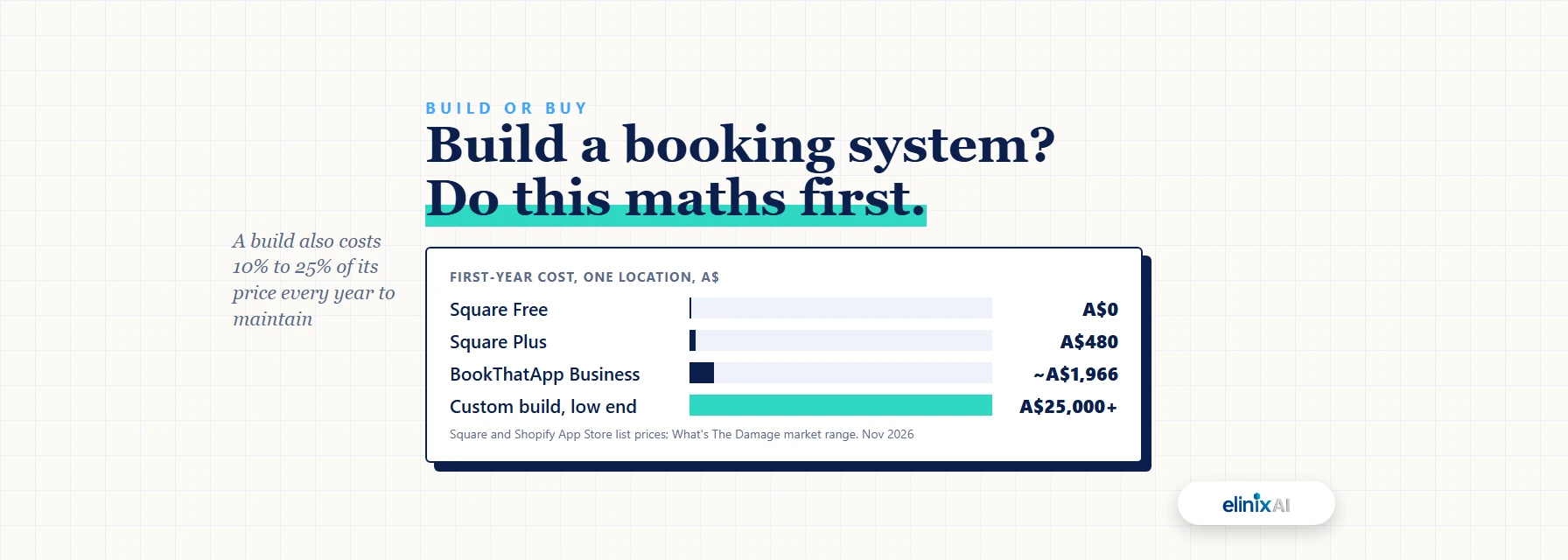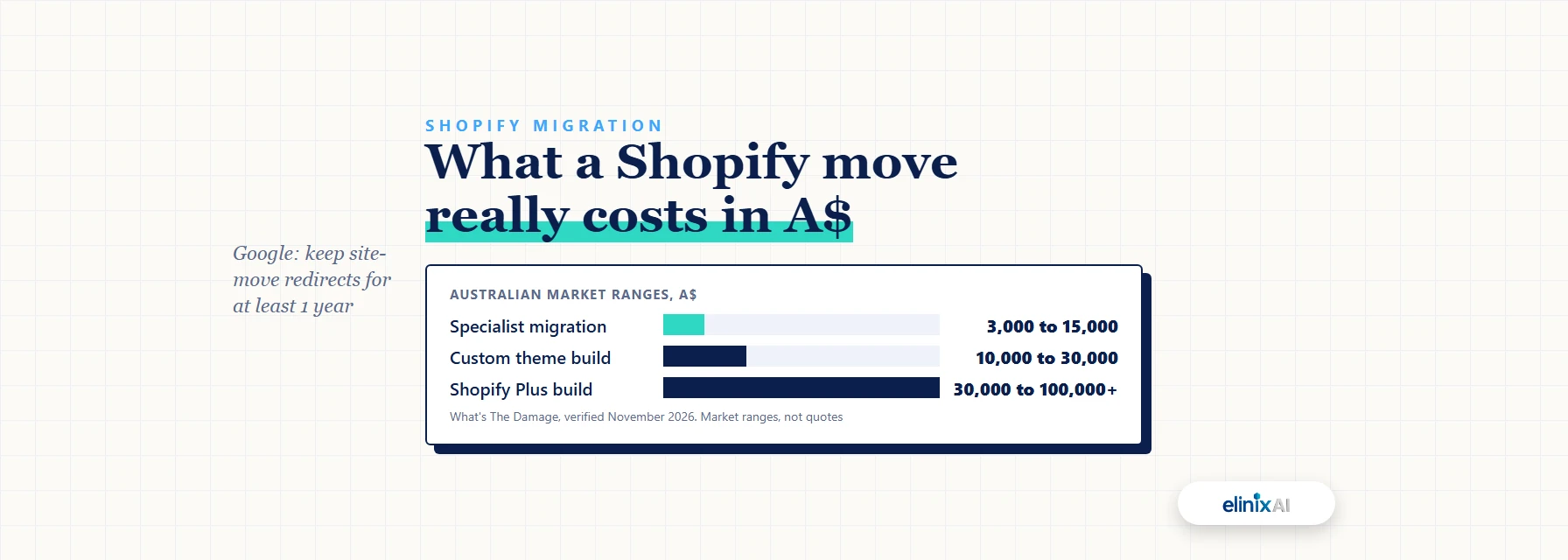
A Shopify migration in Australia typically costs A$3,000 to A$15,000 when a specialist does the work, according to What's The Damage's market range (November 2026). A migration agency usually needs a few weeks for the full job, because cleaning and testing the data take longer than the import itself. Choose the agency that shows you a redirect map, a test plan and a fixed scope before you sign.
This guide is for Australian brands moving to Shopify from WooCommerce, BigCommerce, Wix, Squarespace, Magento, Neto or a marketplace. It covers what moves and what stays behind, how long the work takes, what it costs, how to protect your Google rankings, and the questions to ask an agency before you pay a deposit.
Key facts
- Shopify's migration guide says to import products first, then customers, then historical orders (Shopify Help Center, 2026)
- Shopify's free Store Migration app imports from WooCommerce, Wix, Etsy, Amazon, eBay and Square, among others (Shopify App Store, 2026)
- A migration to Shopify typically costs A$3,000 to A$15,000 in Australia as a market range (What's The Damage, November 2026)
- Standard Shopify plans allow up to 100,000 URL redirects (Shopify Help Center, 2026)
- Google advises keeping site-move redirects for at least 1 year (Google Search Central, 2026)
- Shopify's Partner Directory has a Migrations category you can filter by Australia and by partner tier (Shopify, November 2026)
What moves to Shopify, and what doesn't?
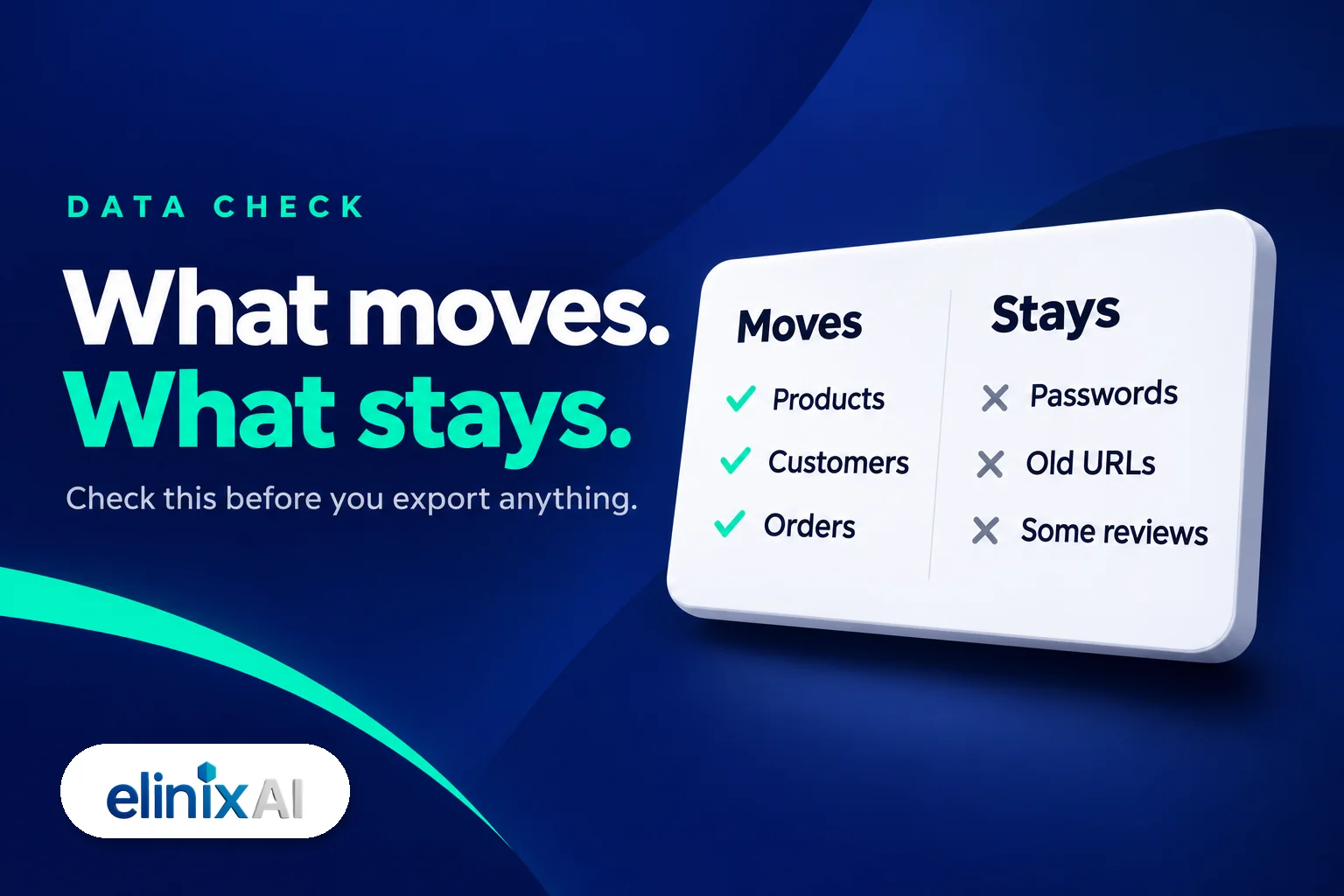
Products, variants, images, customers and order history can all move to Shopify, by app, CSV or API. Customer passwords never move, and customers set new ones. Reviews, blog posts and custom fields depend on the tool you use. Your old URLs do not carry over, so every page that ranks needs a redirect.
| Data | Moves? | How, or what to do instead |
|---|---|---|
| Products, variants, images | Yes | Store Migration app, CSV or a paid tool |
| Customers | Yes | Customer CSV or app, with consent columns set |
| Order history | Yes | App or API, after products and customers |
| Blog posts and pages | Usually | Paid tools list them; check the demo |
| Reviews | Depends | Some tools move them; others need a review app |
| Customer passwords | No | Customers set new passwords |
| Old URLs | No | Map each one to a 301 redirect |
Shopify's own migration guide sets the order: products, then customers, then orders. That way each order links to a real product and a real customer. Turn off staff order notifications before you import orders, or each imported order emails your team.
Passwords are the one move nobody can make. Shopify's customer import guide says you invite customers to create new passwords after the import.
Which route suits your current platform?
The route depends on where you are moving from. Shopify's free Store Migration app connects to some platforms and takes a CSV from the rest. Paid tools cover the gaps.
| Moving from | Shopify's free app? | Usual route |
|---|---|---|
| WooCommerce | Yes | Store Migration app, or a paid tool for orders and reviews |
| Wix | Yes | Store Migration app or CSV |
| Etsy, Amazon, eBay | Yes | Store Migration app; marketplace links stay with the marketplace |
| BigCommerce | No | Matrixify or LitExtension |
| Magento | No | Matrixify or LitExtension, plus checks on custom fields |
| Squarespace | No | CSV export or LitExtension |
| Neto (Maropost) | No | CSV export, or a specialist who has done one |
Matrixify lists migration from Magento, WooCommerce and BigCommerce, and has a free plan for small test files. LitExtension lists BigCommerce, Magento, Squarespace, Wix and WooCommerce, with a free demo. Neither page names Neto, which Maropost bought in 2021. Neto stores usually start from a CSV export. If you are leaving eBay, our eBay to Shopify guide covers that move.
How long does a Shopify migration take?
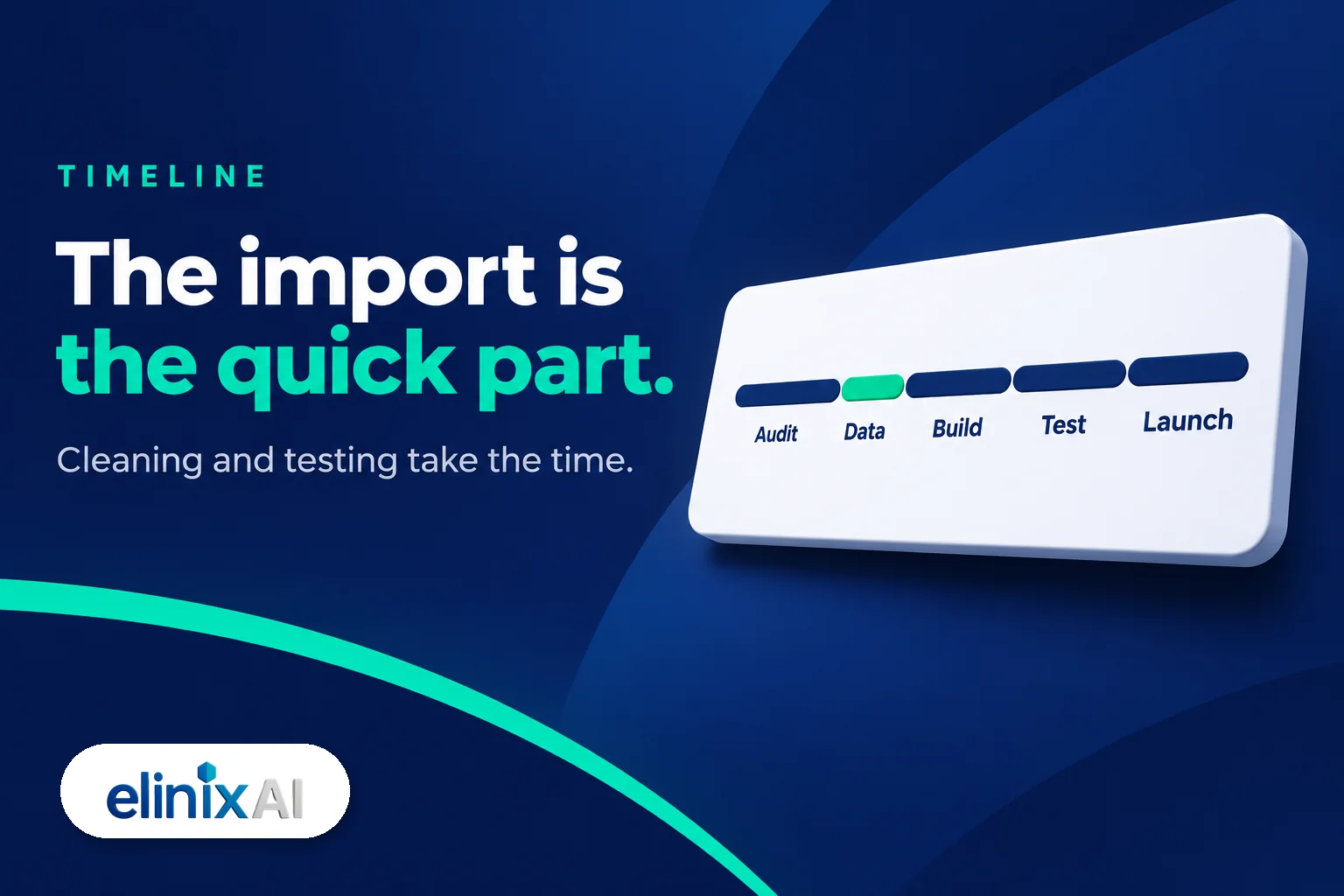
A small store can move its data in a day, but a full migration usually runs for weeks. At Elinix AI, an ecommerce build typically takes 3 to 4 weeks, and a large catalogue takes longer. Most delays come from content and approvals. Google can then take a few weeks or more to show your new URLs.
The import is the quick part. Here is where the time goes:
| Stage | What happens | What sets the pace |
|---|---|---|
| Audit | Export old URLs, list apps, decide what moves | How many apps and custom fields you have |
| Data | Clean and import products, customers, orders | Catalogue size and how messy the data is |
| Build | Theme, payments, delivery, GST, apps | Number of page templates |
| Test | Test orders, phone checkout, redirects | How quickly you sign off |
| Launch | Domain moved, redirects live, sitemap submitted | Choosing a quiet trading week |
As our website design page puts it, a store with five page templates moves faster than one with fifty. Approvals matter just as much. If product copy and photos come back slowly, the launch moves too.
Plan the launch away from your busiest weeks. A new checkout in the middle of Black Friday is a risk you do not need. Google's site move guide says to expect temporary ranking changes, so give yourself room before peak season.
What does a Shopify migration cost in Australia?
A Shopify migration typically costs A$3,000 to A$15,000 in Australia when a specialist does it, and larger catalogues run beyond that, according to What's The Damage (November 2026). Doing it yourself costs your time plus a Shopify plan. A new design is priced separately and often costs more than the move.
| Route | Market cost in A$ | What you get |
|---|---|---|
| DIY with Shopify's app or CSV | Shopify Basic, A$50 a month billed yearly | Your own time, full control |
| Paid migration tool | Priced per record; run the free demo first | Data moved, no store built |
| Specialist migration | A$3,000 to A$15,000 | Data, redirects, setup and testing |
| Custom Shopify theme | A$10,000 to A$30,000 | A design built for your brand |
| Shopify Plus or enterprise build | A$30,000 to A$100,000+ | Large catalogues and integrations |
Source: What's The Damage, verified November 2026 and Shopify Australia pricing. Those are market bands, not quotes.
What moves the price inside a band:
- Catalogue size. Five hundred products with variants take far longer to clean than fifty.
- Order history. Moving years of orders adds work and testing.
- Redirect count. Every ranking product, collection and blog URL needs mapping.
- Apps to replace. Subscriptions, reviews, loyalty and bundles each need a Shopify equivalent.
- Design. Keeping a template is cheaper than a custom theme.
Then there are running costs. Shopify Payments on Basic charges 1.7% + 30c for online cards. If you use another payment provider, Shopify adds a 2% fee on Basic, on top of that provider's own fee. Our ecommerce redesign cost guide covers the design side in more detail.
Free audit: not sure what your move should cost? Book a free 15-minute website audit and we will go through your catalogue, your URLs and your apps with you.
How do you protect your SEO when you migrate?
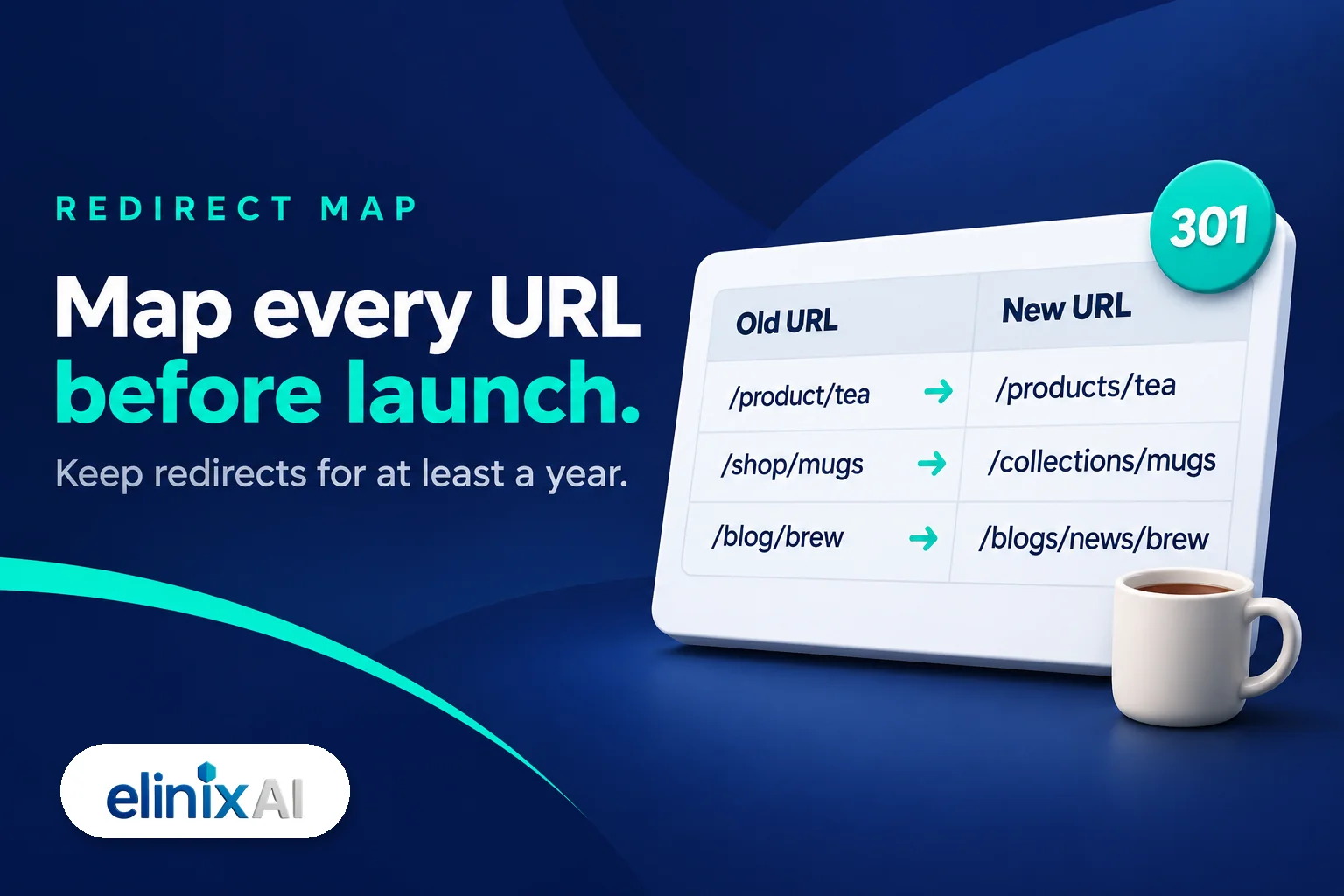
Protect your SEO with a redirect map. List every old URL that ranks or has links, match each one to its new Shopify URL, and set a 301 redirect before launch. Google says to keep redirects for at least 1 year and to expect temporary ranking changes. Skip the map and Google treats your best pages as gone.
Do it in this order:
- Export every old URL. Use your sitemap, Google Search Console and a crawl of the live site. Include products, collections, blog posts and images that get traffic.
- Map each one. Google's site move guide calls this mapping important, because the redirects, sitemaps and internal links all come from it.
- Import the redirects. Shopify takes a redirect CSV and allows up to 100,000 redirects on standard plans. A redirect only works from a broken URL, so it fires once the old page no longer loads.
- Move page titles and descriptions. Carry over the meta titles and descriptions that already rank.
- Submit the new sitemap. Add it in Search Console on launch day and watch the indexing reports.
- Keep the redirects. Leave them for at least a year.
Expect some movement. Google says a small to medium-sized site can take a few weeks for most pages to move. Plan for a dip, and check the pages that earn the most revenue first.
Marketplace sellers are the exception. An Etsy or Amazon listing sits on the marketplace's domain, so you cannot redirect it. Your Shopify store has to build its own rankings from the start. Our complete guide to ecommerce SEO, AEO and GEO covers where to begin, and our 12 checks for Shopify AI search cover what ChatGPT needs to read a new store.
Should you use a tool, a freelancer or an agency?
Use a tool if your catalogue is simple and you will set up the store yourself. Use a freelancer for a clean data move on a tight budget. Use an agency when you need redirects, a new design, app replacements and testing handled together. A tool moves data. It does not decide what your store should look like.
| Your situation | Usually suits |
|---|---|
| Under 100 simple products, you run everything | Shopify's app or CSV |
| A clean catalogue, but you need help with the import | Freelancer or paid tool |
| Years of SEO traffic you cannot afford to lose | Agency with a redirect plan |
| New design, apps to replace, B2B or subscriptions | Agency |
| You are an agency without a build team | White-label partner |
Shopify itself lists hiring a Shopify Partner as one way to migrate. Its Partner Directory has a Migrations category you can filter by primary location, Australia included, and by tier (Select, Plus, Premier, Platinum). A tier is a starting filter. It does not tell you whether a partner has moved a store like yours.
If you are still deciding on the platform, read our Shopify vs WooCommerce comparison first. A migration is a lot of work to undo.
What should you ask a migration agency before you sign?
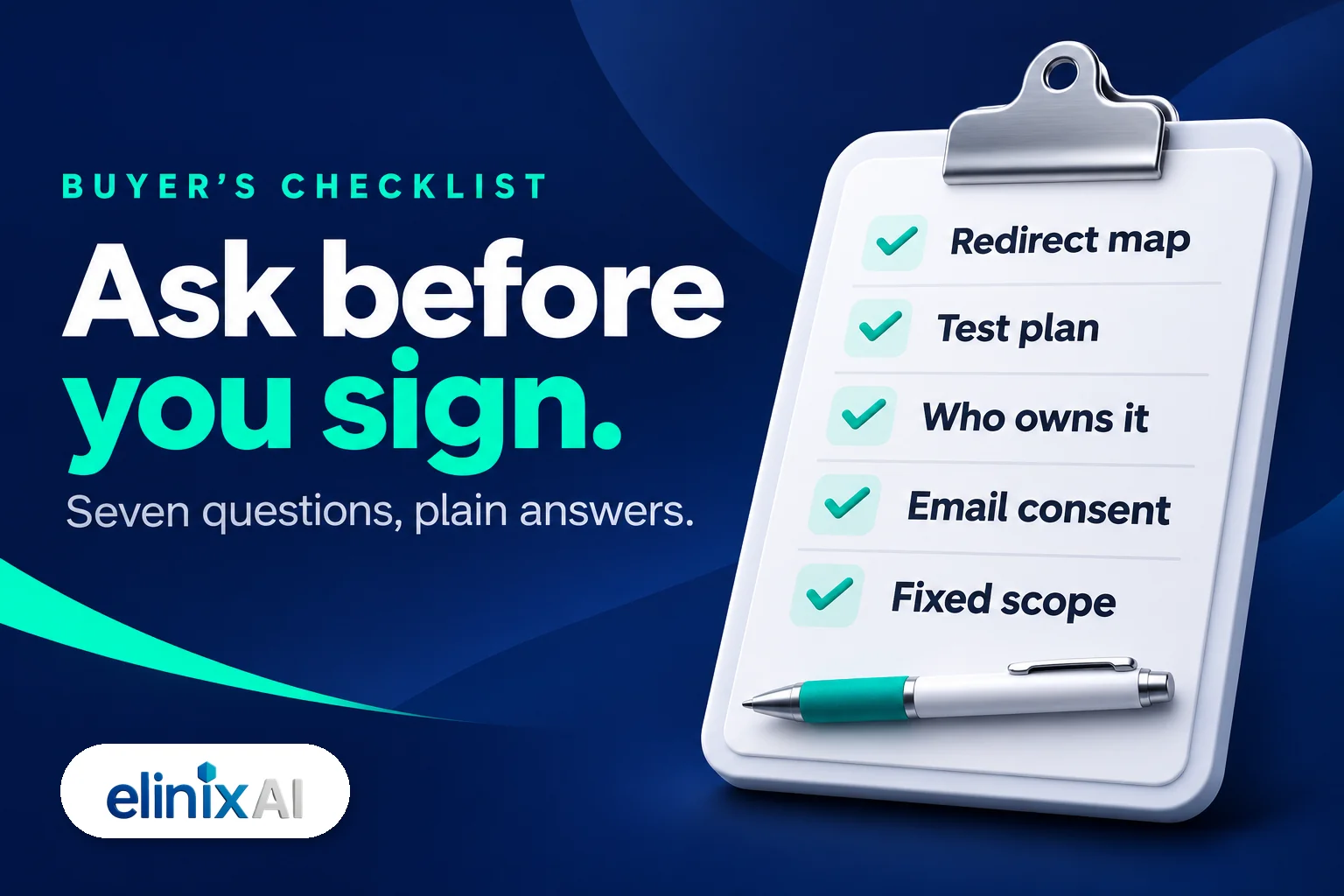
Ask to see a migration from your platform, a sample redirect map and a written test plan. Ask who owns the store, the theme and the accounts. Ask what the quote leaves out. A good agency answers each one plainly. Walk away from anyone who guarantees your rankings or sales on day one.
| Question | A good answer |
|---|---|
| Have you moved a store from my platform? | Yes, and here is what went wrong and how we fixed it |
| Will I see the redirect map before launch? | Yes, as a spreadsheet you can check |
| What data will not move? | A plain list: passwords, some reviews, custom fields |
| How will you test? | Test orders on a phone, GST, delivery, redirects |
| Who owns the store, theme and apps? | You do. Accounts sit in your name |
| What is not in the quote? | A fixed scope, with extra work quoted before it starts |
| What support do I get after launch? | A set period to fix anything the move broke |
Two answers deserve extra attention.
- Email consent. Moving your list is not the same as having permission to email it. The ACMA says you must have consent before sending marketing, and you cannot email people to ask for it. Shopify's customer CSV has a consent column for each channel. A good agency carries those over as they were, then connects Klaviyo. Our guide to essential Klaviyo flows for Shopify shows what to rebuild after the move.
- Tracking. Ask how Google Analytics, Search Console, ad pixels and the Merchant Centre feed move across. If tracking breaks at launch, you lose the data that tells you whether the move worked.
Watch for these red flags:
- A price before anyone has looked at your catalogue
- No mention of redirects, or "Shopify handles that automatically"
- A promise that rankings will not drop at all
- The store or theme set up in the agency's name
The same habit of asking for proof applies to any agency. Our guide on how to choose an AI SEO agency uses the same test.
We move stores to Shopify from other platforms and marketplaces through our Shopify migration service, as part of our store migrations and custom builds. That covers the catalogue, redirect mapping, payments and delivery. Each project is quoted after a free audit, because catalogues differ so much. If you are on a platform we do not think is worth leaving, we will say so. Agencies can bring us in under their own name through our agency partner programme. We do not promise a sales figure or a ranking, because that depends on your product, your margins and your traffic.
Free audit: get a second opinion before you pay a deposit. Book a free 15-minute website audit and we will tell you honestly whether a migration is worth it yet.
Frequently Asked Questions
How long does it take to migrate to Shopify?
A full migration usually takes a few weeks, because cleaning, building and testing take longer than the import. At Elinix AI, an ecommerce build typically takes 3 to 4 weeks, and a large catalogue takes longer. Google can then take a few weeks or more to show the new URLs in search.
How much does a Shopify migration cost in Australia?
Market ranges put a specialist migration to Shopify at A$3,000 to A$15,000, according to What's The Damage (November 2026), with larger catalogues costing more. A DIY move costs your time plus a Shopify plan, from A$50 a month billed yearly on Basic. At Elinix AI, each migration is quoted after a free audit.
Will I lose my Google rankings if I move to Shopify?
Rankings often move for a few weeks after any site move, and Google says to expect temporary fluctuation. A full redirect map limits the damage. Map every old URL that ranks to its new Shopify URL, set 301 redirects before launch, and keep them for at least one year.
Can I move my customers' passwords to Shopify?
No. Shopify says customer passwords cannot be migrated by CSV from another online store. After the import, you invite customers to create new passwords. Send that account invitation on its own, and keep it separate from any marketing email.
Can I keep emailing my list after moving to Shopify?
Yes, if those people gave you consent on your old platform and you carry that consent across. The ACMA says you must have consent before sending marketing, so keep a record of how each person signed up. Set Shopify's consent columns to match each contact's history before you send anything.
Do I need an agency to migrate to Shopify?
Not always. A store with a simple catalogue and little search traffic can move with Shopify's free Store Migration app or a CSV. An agency earns its fee when you have years of rankings to protect, apps to replace, a new design, or no time to test properly.
Can I migrate from Neto to Shopify?
Yes. Neto, now owned by Maropost, is not on the list for Shopify's free Store Migration app, so most moves start from a CSV export of products and customers. Ask any agency whether it has moved a Neto store before, and how it handled custom fields and redirects.
Should I redesign my store at the same time as migrating?
It often makes sense, because you build the theme once and test one launch instead of two. The trade-off is more to check before go-live. If your current design converts well, move the data first and redesign later. Either way, map the redirects before launch.